
Browser app / Port Canaveral, Florida
Canaveral HarborView
Your window onto Port Canaveral.
Explore Port Canaveral in 3D, follow received vessel positions, browse cruise schedules, and discover the harbor from your browser.
See HarborView / Video preview
Watch on YouTube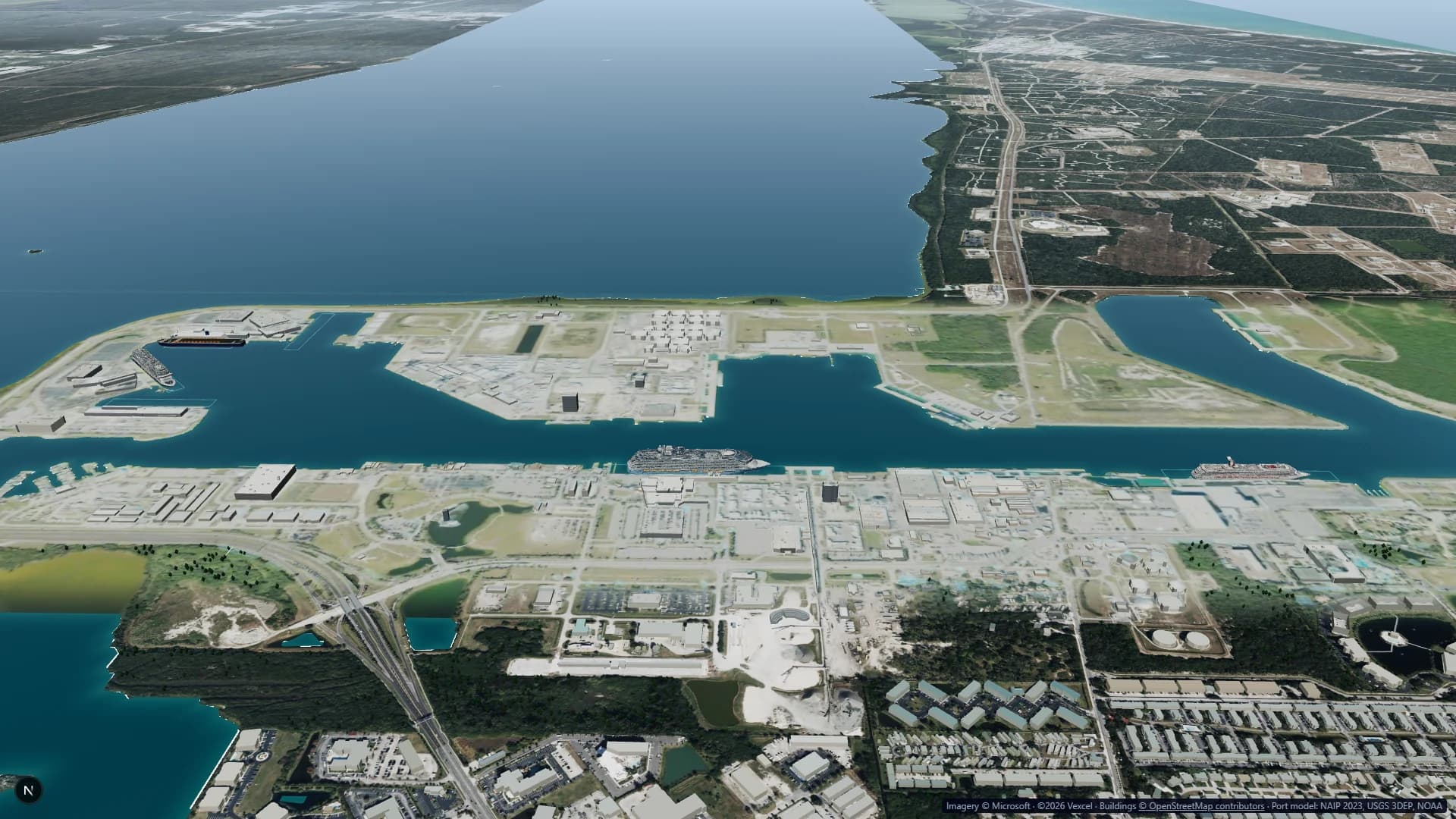
01 / The view
The harbor, in perspective.
From the cruise terminals to the coastline, explore a recognizable Port Canaveral with room to look around.
Explore in 3D.
Orbit, zoom, and move around a port built from aerial imagery and lidar. See the waterfront, terminals, and surrounding geography together.
Change your point of view.
Switch between Harbor, Coastal, and Offshore views, fit the visible vessels, or use the 2D map for another perspective.
See the schedule unfold.
Use playback and Jump to next movement to explore scheduled arrivals and departures. Simulated movements stay labeled as estimates.
Find your bearings.
Explore terminal locations, the entrance channel, and nearby places, with map context and a minimap to help you stay oriented.
02 / The vessels
Follow the ships.
A vessel list, a ship guide, and a calendar bring different parts of the harbor story into one workspace.
Received positions, clearly marked.
View live AIS reports where coverage is available, inspect report age, follow a vessel, and show its trail. Schedule estimates remain separate.
Look beyond cruise ships.
Search by vessel name, MMSI, or berth. Filter received vessel categories, including cargo, tugs, sailing craft, and pleasure vessels.
Get to know the fleet.
Browse the ship spotting guide for photos, specifications, and upcoming calls. Compare two ships side by side at true scale.
Put the day on the calendar.
Browse scheduled arrivals, departures, supported return dates, and launches in month, week, or agenda views using Port Canaveral local time.
03 / The visit
Make a day of it.
Plan a visit, take a virtual tour, or settle in for a view of the port and the Space Coast.
Plan a cruise day.
Choose a sailing and see terminal, parking, and itinerary details when available. Save sailings and check weather within the forecast window.
Take the scenic route.
Try a guided virtual boat ride or port drive, explore nearby places, or take the controls for a different view of the waterfront.
Check the conditions.
View weather, forecasts, and tides, and open the live camera directory for another look at the area. Source freshness and availability stay visible.
Keep an eye on the Space Coast.
Browse launch information and status-aware countdowns, or use TV Mode for a fullscreen harbor display with weather, ships, and the next launch.
Inside HarborView
A closer look at the harbor.
Screenshots from the app. Open an image to explore the full view.
A view worth taking with you
The harbor, wherever you are.
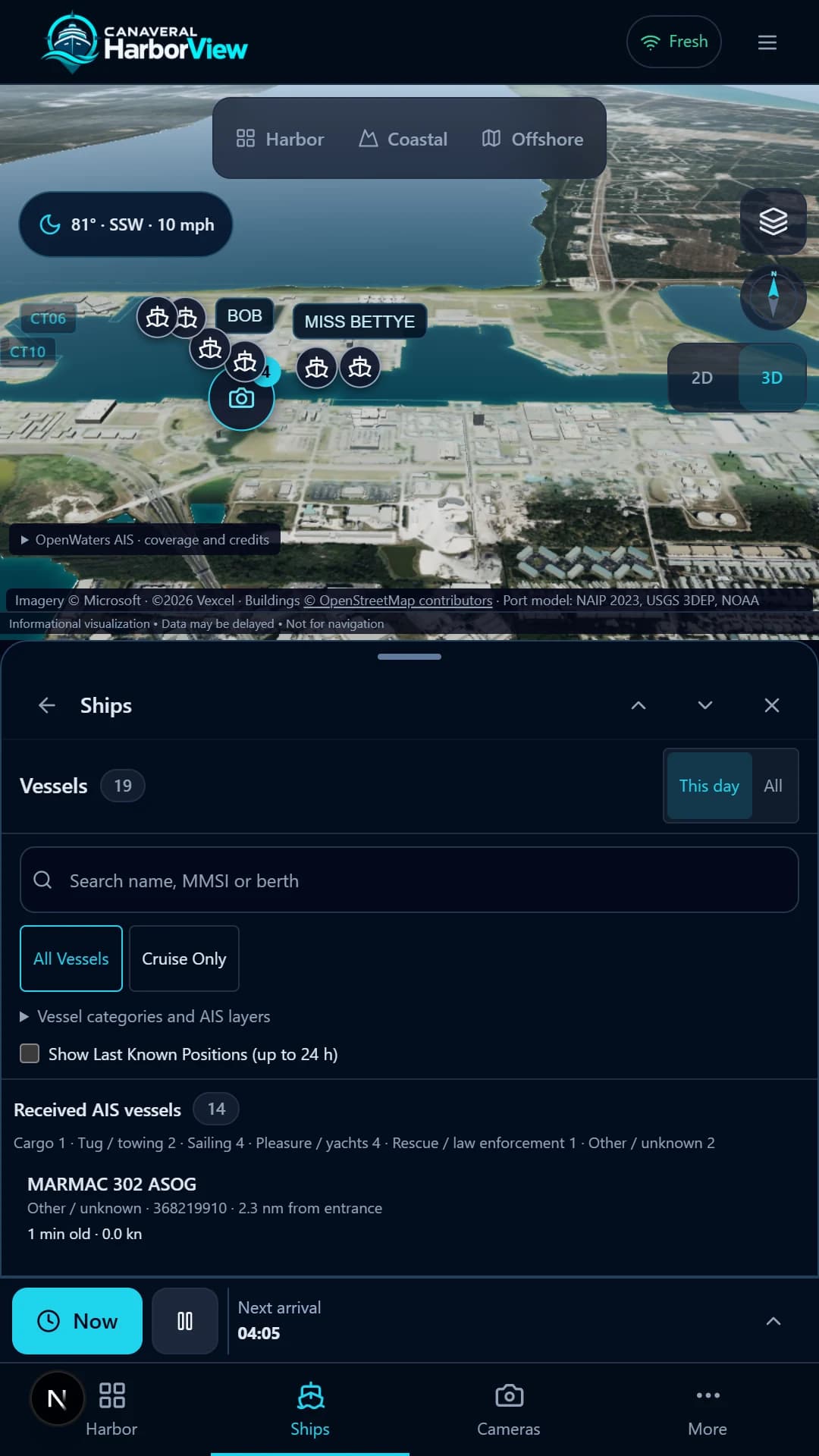
Open the same harbor on your phone. Touch-friendly controls and vessel sheets keep the view, ship details, and camera directory within reach.
Modern browser · WebGL support · Internet connection
Start looking around
Your first visit starts here.
- 01
Open the harbor
Launch the app in your browser. The public viewer does not require an account or a download.
- 02
Choose a view
Look around the harbor, coastline, or offshore area. Select a vessel to inspect its source and report age.
- 03
Go exploring
Open Ships, Explore, Plan a Cruise, Calendar, or Launches to follow your curiosity.
Do I need to install anything or sign in?
The public HarborView viewer runs in your browser without an account or a launcher download. Use a modern browser with WebGL support and an internet connection. Rendering performance depends on your device.
Are all ship positions live?
Received AIS positions are labeled with their source and age. Other ship positions can be estimated from schedules, and playback simulates scheduled movements. AIS coverage varies, so the list is not a complete count of vessels in the area.
Can I use it for navigation or boarding times?
HarborView is an informational visualization. Geography and ship models include approximations, and data can be delayed or unavailable. Use official navigation sources and your cruise line’s check-in instructions; a scheduled sailing time is not a boarding time.
What if an itinerary, camera, or forecast is missing?
HarborView shows information where its sources provide it and labels missing or stale data. Weather forecasts cover their available date range, camera playback depends on the provider, and launch times and statuses can change. Follow the source links for the latest official information.
The waterfront is waiting